Your floor plan
Draw the room as it really is: tables, joins, walls, windows. The app suggests the right table for every booking and you move it with a finger.
Sandtick is the app a restaurant uses to take bookings, place them on the floor plan and follow them during service. From a phone, the iPad on the floor or a computer, always with the same data.
Sandtick wasn't born in an office. We built it at 266 La Barraca, our restaurant on the seafront of Pomezia, near Rome, because we needed it: a simple way to keep the dining room, the beach and the bookings in hand, even on the busiest nights.
Our job is hospitality, not software. That's why Sandtick takes no commissions on your covers and doesn't charge extra for what you need: it costs little because it's made to help the people who do this work, not to profit from it.
What a full dining room needs, and nothing more.
Draw the room as it really is: tables, joins, walls, windows. The app suggests the right table for every booking and you move it with a finger.
A booking box to paste on your restaurant's website. Guests pick the day, time and area; you decide how many seats go online and until when.
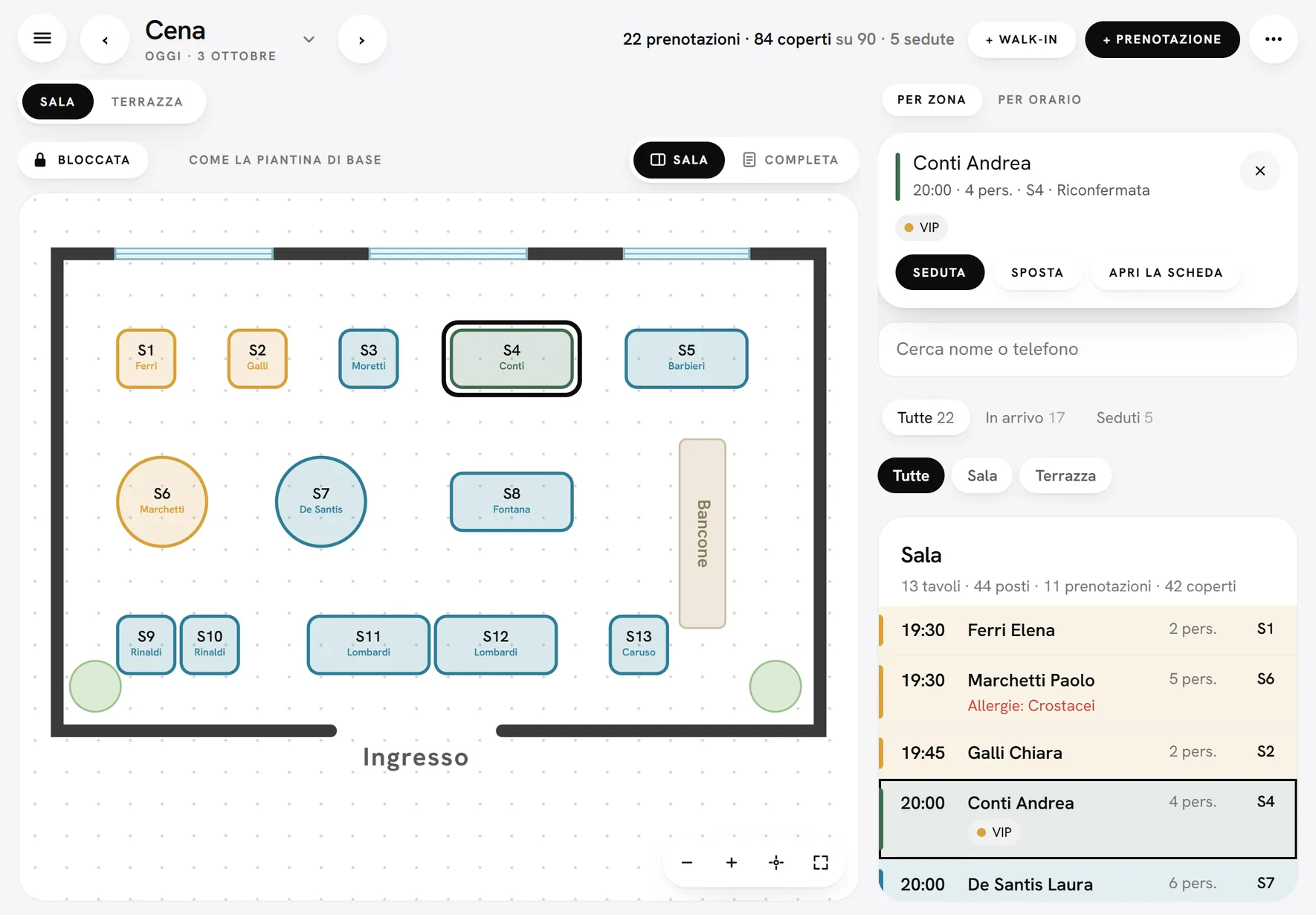
Floor plan and arrivals list side by side. Allergies in red under the name, table status at a glance, the same data on every device.
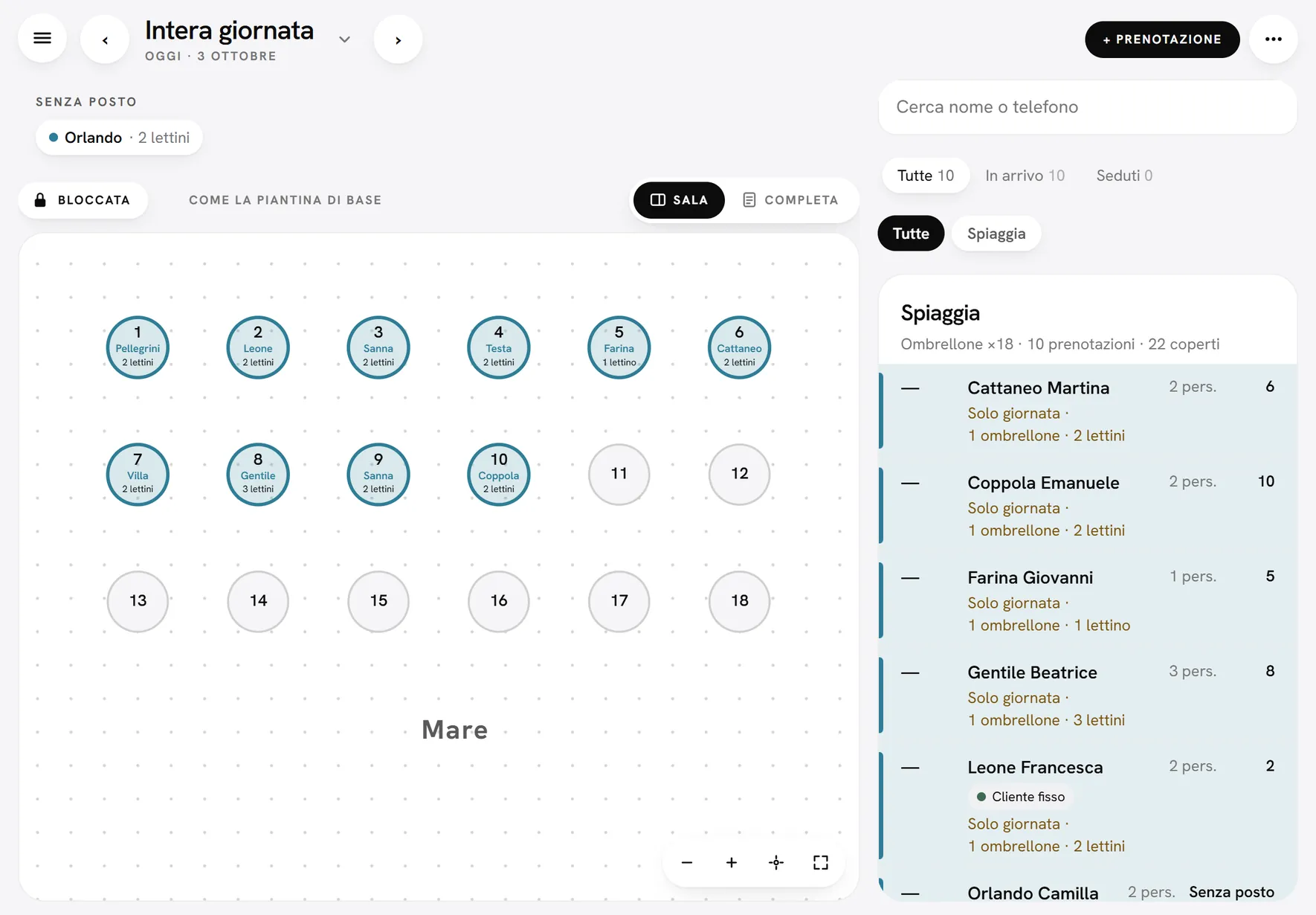
Umbrellas, sunbeds and cabanas in the same app, booked for the whole day, with spots in rows and prices already worked out.
Confirmations, changes, cancellations and reminders reach guests by email, from the restaurant's Gmail; WhatsApp is coming soon. Guests can cancel with one tap and the table is free again.
One number, one card: visits, allergies, notes, tags like VIP or Doesn't pay. No-shows can go on a blacklist and find the restaurant fully booked online.
Sandtick started on a sheet of paper. We drew every screen by hand first, thinking about how a dining room really works, and only then turned it into an app. Scroll and watch each sketch come to life, on an evening at Trattoria Marea: a made-up restaurant, with real screens.
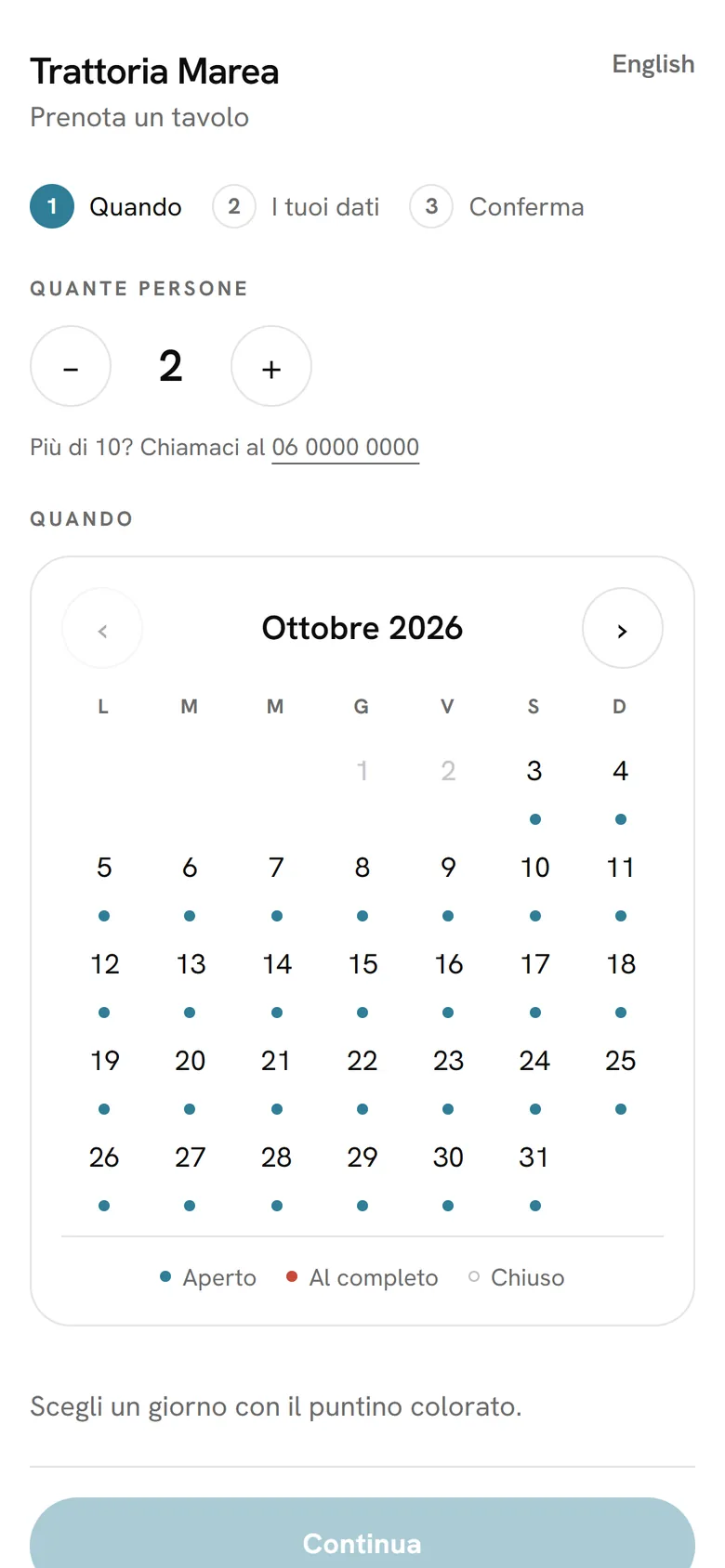
On the restaurant's website they pick the party size and the day: the dots show where there's room. Then the time, their details and the confirmation.
Tonight, 22 bookings between the dining room and the terrace. Tap “Conti Andrea” and their table, S4, lights up. One swipe and they're seated, on every iPad.
Umbrellas in rows, each with the guest's name and their sunbeds. Guests with sunbeds only sit at the top, under “No spot”.
Lunch and dinner open and close with one tap. Dots under the days show what's open, dots above show upcoming events.
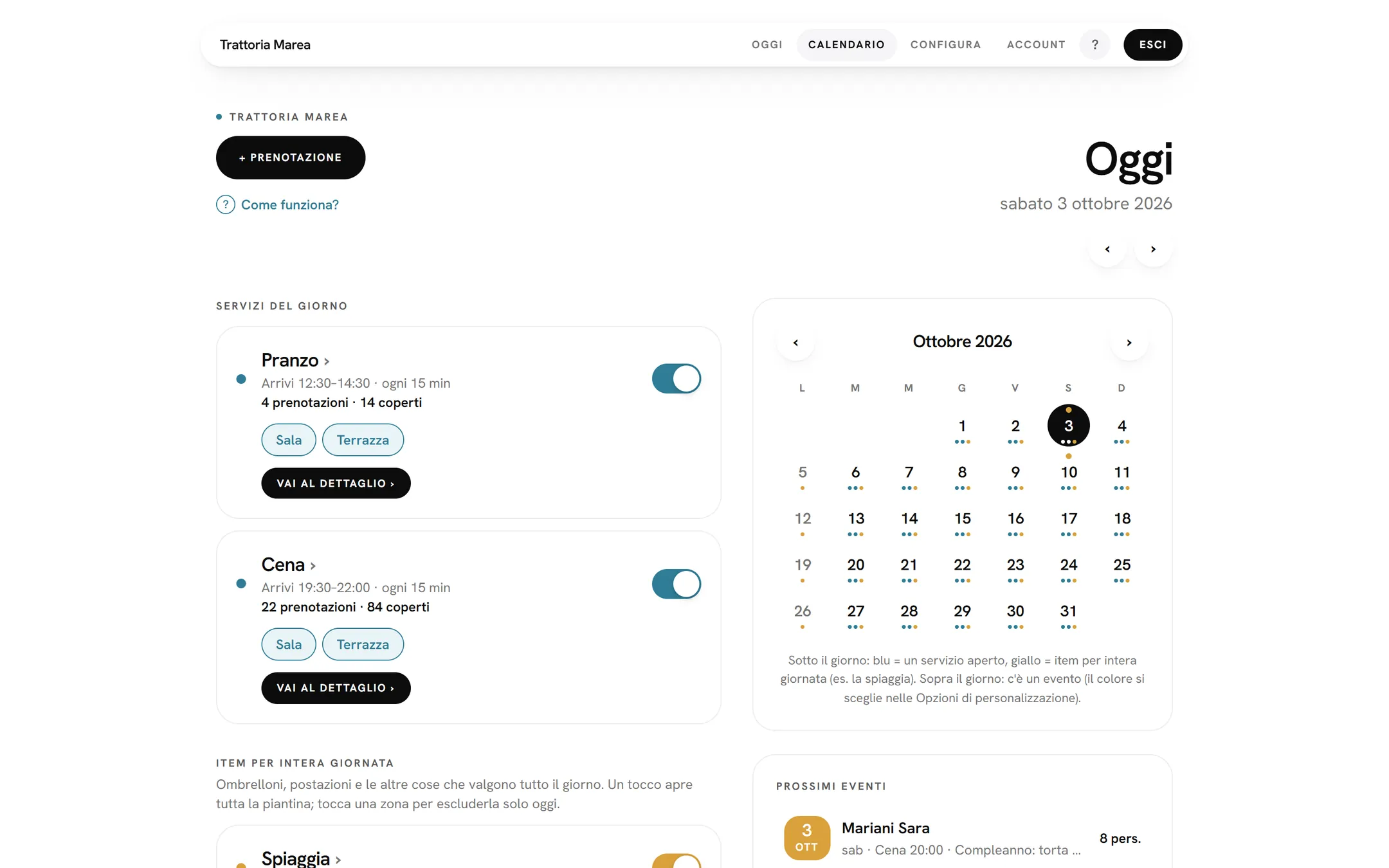
What's there today, ready to use.
We're working on it. For now they're just drawings.
For iPhone, iPad, Android, Mac and Windows, alongside the browser version.
The whole app keeps working when the connection drops.
Confirmations and reminders on WhatsApp, from your restaurant's number.
Besides Gmail, the restaurant's Outlook mailboxes as well.
A card as a guarantee for large parties.
Close an area or a service and booked guests are told.
Dining room, kitchen and beach shifts organised in the same app.
Plus VAT. No commissions, no setup fee, no lock-in. Try it free for 30 days.
If you want emails to guests to come from your own address, you can connect the restaurant's Gmail. Sandtick uses it for one thing only: sending guests the emails about their bookings.
Sandtick's use of information received from Google APIs adheres to the Google API Services User Data Policy, including the Limited Use requirements.
Read the privacy policy →