A box on the page
The booking sits inside your site's “Book” page, as tall as it needs to be. That's how it works on the 266 website.
Paste a snippet of code into your restaurant's website and guests book from there on their own: day, time, area, even a beach umbrella. The booking reaches the app with a notification, and Sandtick already suggests the table.
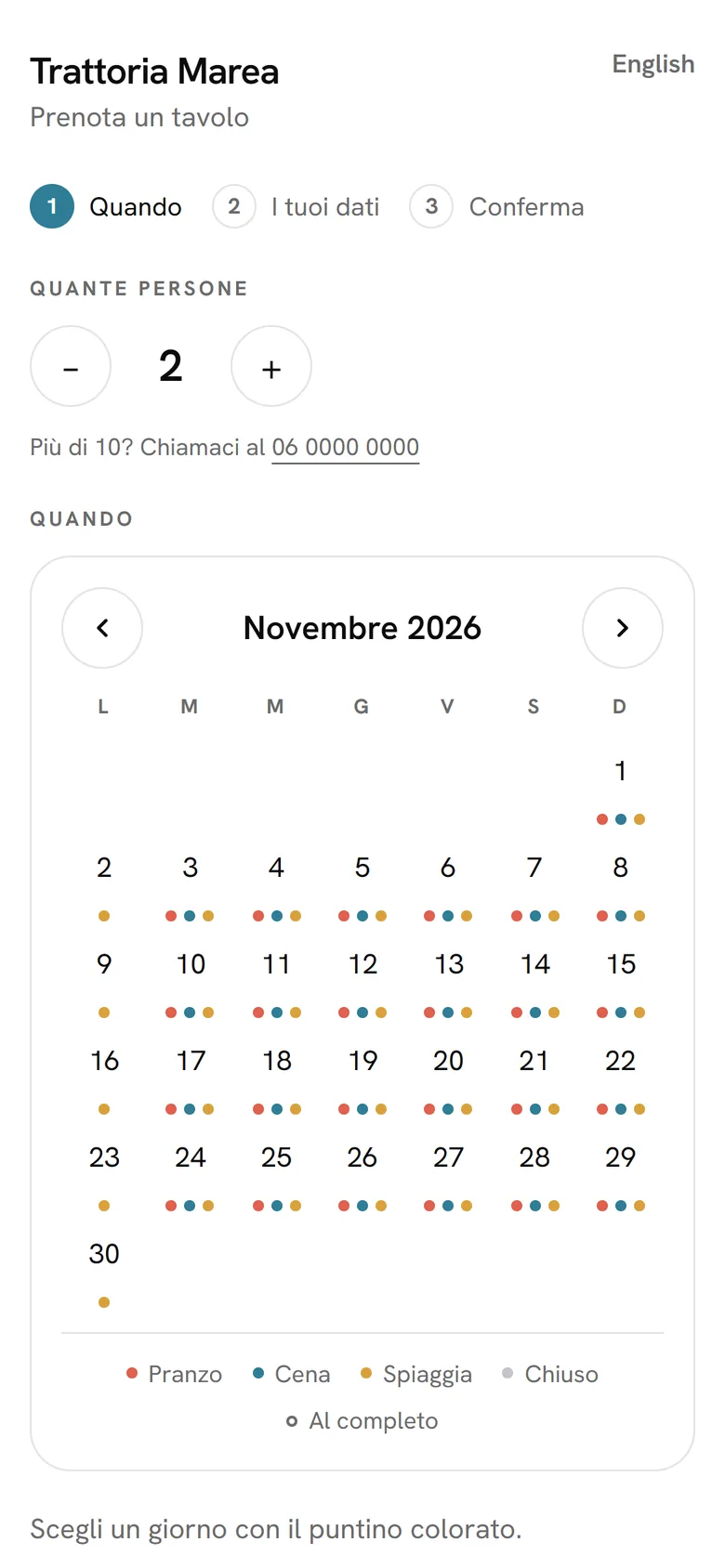
Under each day there's a dot for lunch, dinner and the beach, in your colours. An empty dot means that service is full.
Full times are crossed out, and only the areas you've opened online are shown: the dining room, the terrace, the beach.
First name, surname, phone and email, with allergies and notes. If the number is already in your guest book, the booking goes on their profile.
It arrives by email, from the restaurant's Gmail, and on WhatsApp, from your number, with a link to cancel. If they cancel, the table is free again on its own.
Copy the code from Sandtick and paste it into your site. It works almost anywhere you can add a bit of HTML.
The booking sits inside your site's “Book” page, as tall as it needs to be. That's how it works on the 266 website.
Put it wherever you like. Tap it and the booking opens over your site; close it and you're back where you were.
It stays in view on every page of your site. There's also a direct link for Instagram or your restaurant's Google listing.
Only the seats you want to give go online.
How many days ahead and up to how many hours before guests can book, the largest party, how many covers per time slot and in which areas.
Your restaurant's colours, logo and typeface. The box blends into the page, and if you want you can change the CSS too.
Up to three questions before confirming: a rule to accept, a yes or no, or a free answer such as “Celebrating anything?”.
A check stops bots, and each number can book online only once per service. Anyone on your blacklist finds the restaurant fully booked.
If you like, guests leave a card and no-shows pay a fee. The fee goes to your Stripe account.
Guests choose the language at the top, and emails and messages reach them in theirs.
Plus VAT, with no commission on your covers and nothing to pay to get started. Cancel whenever you like, and the first 30 days are free.